abqpy documentation#
Type hints for Abaqus/Python scripting.
abqpy is a Python package providing type hints for Python scripting of Abaqus, you can use it to write you Python script of Abaqus fluently, even without doing anything in Abaqus. It also provides some simple APIs to execute the Abaqus commands so that you can run your Python script to build the model, submit the job and extract the output data in just one Python script, even without opening the Abaqus/CAE.
Note
The abqpy is built in Python 3 but the Python interpreter of Abaqus is Python 2, so you must write codes that are compatiable with Python 2 and Python 3.
Other links for this project#
GitHub repository: github.com/haiiliin/abqpy
PyPI: pypi.org/project/abqpy
Anaconda: anaconda.org/haiiliin/abqpy
Read the Docs: readthedocs.org/projects/abqpy
Quick Start#
Installation#
abqpy supports Python 3.7 or a later version. If you are using Python 3.6 or an earlier version, please upgrade to Python 3.7 or a later version.
abqpy is uploaded to PyPI, you can simply install it using pip:
pip install abqpy
abqpy is also uploaded to anaconda, you can use conda to install it:
conda install -c haiiliin abqpy
You may install the latest development version by cloning the GitHub repository and use python to install from the local directory:
git clone https://github.com/haiiliin/abqpy.git
cd abqpy
pip install -r requirements.txt
python setup.py install
Write your Abaqus/Python script#
After installing the abqpy package, you can start writing your own Abaqus/Python script to build your model. You can refer abqpy/examples at main · haiiliin/abqpy for some tests of the script, for more detailed documentation, please check abqpy documentation.
Setup your Abaqus Environment#
In order to use Abaqus command to execute the Python script and submit the job, you need to tell abqpy where the Abaqus command is located. Usually, Abaqus command locates in a directory like this:
C:/SIMULIA/Commands/abaqus.bat
You can add the directory C:/SIMULIA/Commands to the system environment variable Path, or you can create a new system variable named ABAQUS_BAT_PATH, and set the value to the file path of the Abaqus command, i.e., C:/SIMULIA/Commands/abaqus.bat.
Run your Abaqus/Python script#
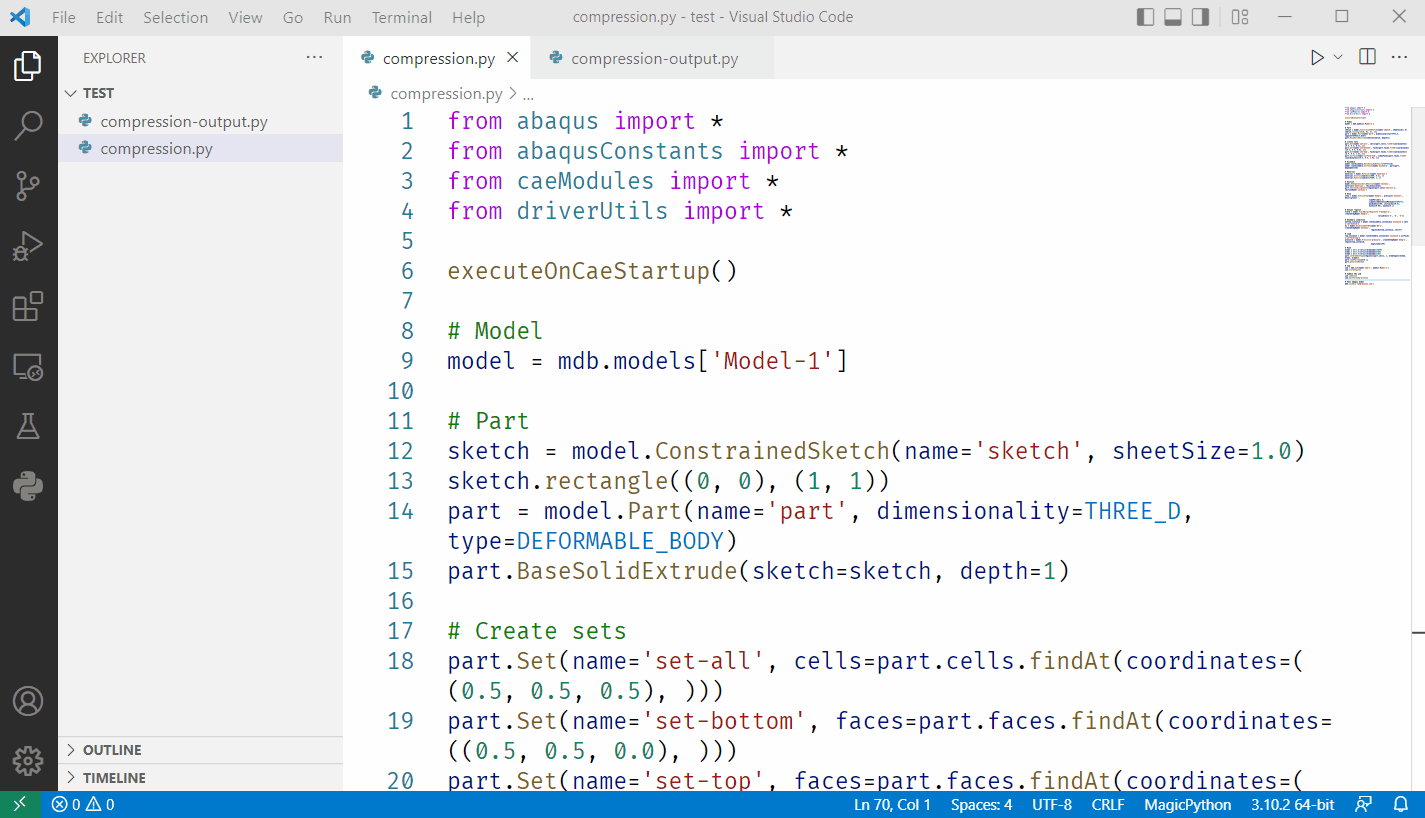
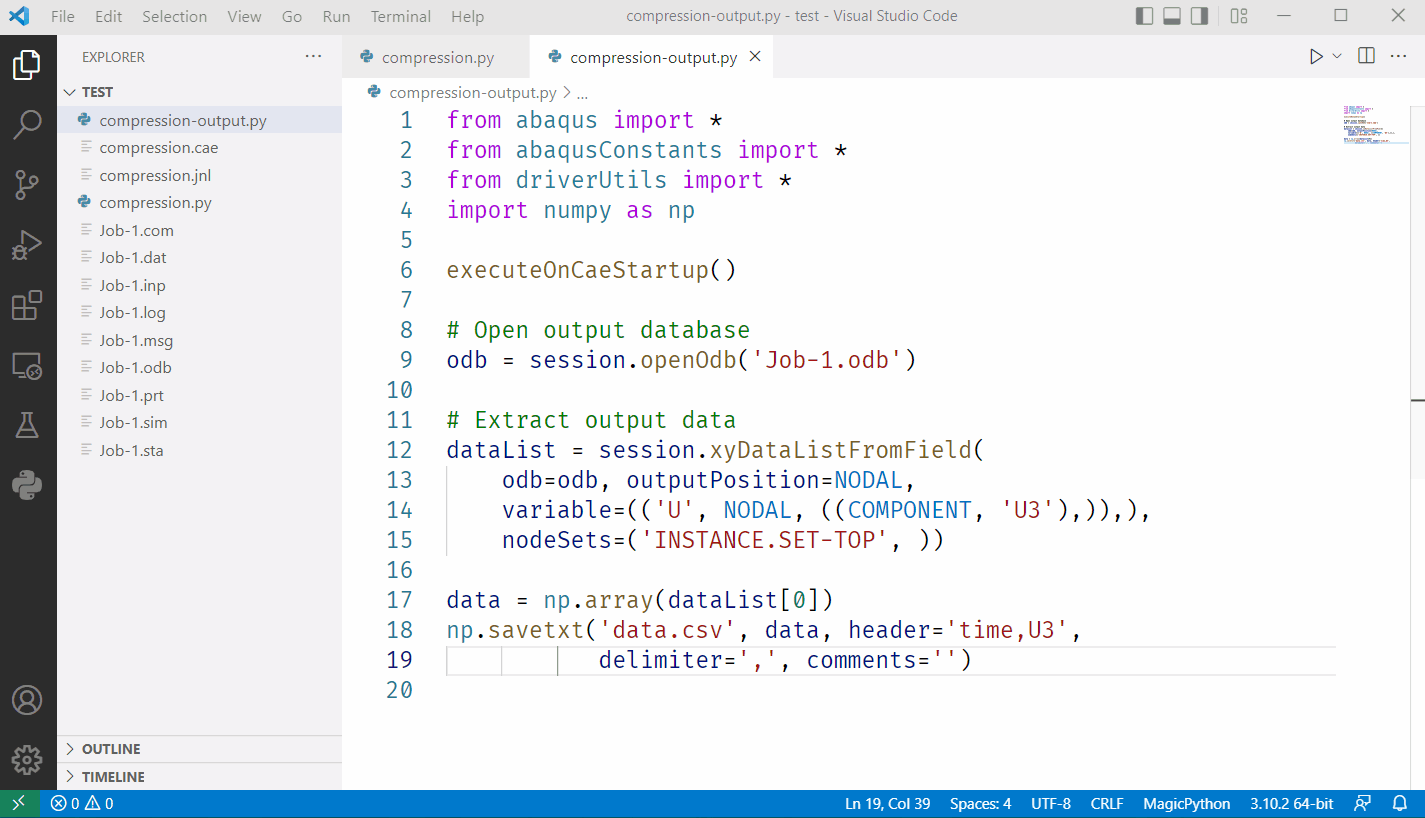
Now you can just run your Abaqus/Python script using your own Python interpreter that abqpy is installed.
Create an Abaqus Model
Extract Output Data
What next?#
You may wonder how does this package work, you can go Getting Started for more detailed introduction and go Tutorials for a simple tutorial. For more documentation about Abaqus/Python scripting, please check API Summary for a list of descriptions of objects and methods of Abaqus models, check API Reference for more detailed API references.